Remote teams need simple ways to share ideas without relying on everyone being in the same room. When brainstorming happens across video calls, chat messages, documents, and time zones, useful ideas can easily become scattered or forgotten.
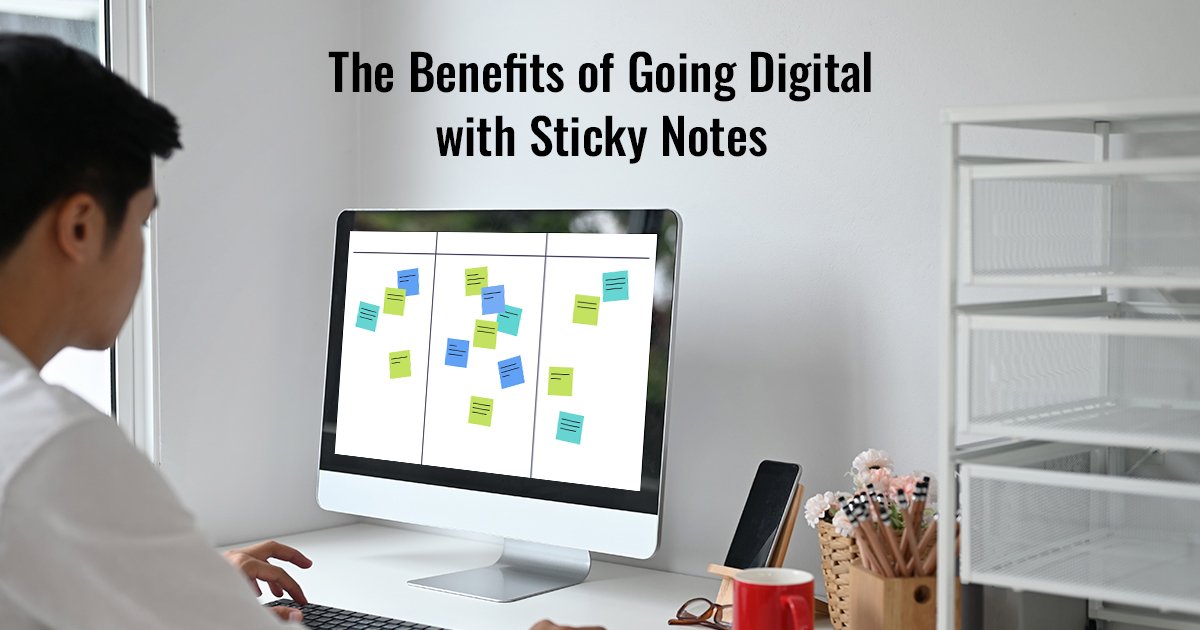
Virtual sticky notes give remote teams a simple visual workspace for capturing ideas, grouping related thoughts, discussing priorities, and turning brainstorming sessions into clear next steps.
Whether your team is brainstorming a new product, planning a project, collecting feedback, or running a retrospective, a shared virtual sticky note board can make the process easier to see and manage.
In this guide, you'll learn how to use virtual sticky notes effectively for both live and asynchronous remote collaboration.
Ready to try it? Create a shared Snapynotes board and give your team one simple place to capture ideas and organize discussions.
Virtual sticky notes are digital versions of the familiar paper notes used on desks, walls, and physical whiteboards.
Instead of writing an idea on paper, you create a digital note that can be organized within an online workspace. Depending on the tool, teams can use these notes to capture ideas, questions, tasks, feedback, and decisions.
For example, during a product brainstorming session, individual notes might say:
Each idea can then be moved, grouped, reviewed, and prioritized.
The main advantage for remote teams is that the workspace isn't tied to one physical location. People can contribute from home, the office, or different parts of the world.
Remote collaboration can become difficult when ideas are spread across different conversations and tools. A shared visual board gives everyone one place to contribute and review information.
In a traditional meeting, some people naturally speak more than others. A shared sticky-note board gives quieter team members another way to contribute.
Instead of immediately discussing ideas out loud, everyone can first write down their thoughts. The team can then review the complete collection together.
This can make brainstorming more inclusive and reduce the chance that a useful idea gets lost simply because someone didn't get an opportunity to speak.
A long chat conversation can be difficult to scan later.
With virtual sticky notes, related ideas can be placed together.
For example:
Customer Experience
Product
Marketing
This visual grouping makes patterns easier to identify.
Remote teams often work across different locations and time zones.
A shared virtual sticky note board provides a common space where team members can see the same ideas and priorities.
Instead of maintaining separate notes and sending updates back and forth, the team can work from one visual source.
A document full of bullet points can be useful, but it doesn't always make relationships between ideas obvious.
Sticky notes can be moved and reorganized visually.
Teams can group similar ideas, separate problems from solutions, and arrange priorities in a way that's easy to understand at a glance.
A brainstorming session shouldn't disappear when the video call ends.
A digital board can preserve the ideas, questions, decisions, and priorities created during the session.
This gives the team something to review later instead of relying on someone's memory or meeting notes.
You don't need a complicated process. A simple five-step workflow can turn a collection of ideas into useful actions.
Before creating notes, define the problem your team wants to solve.
Instead of asking:
"How can we improve our business?"
ask something more specific:
"How can we make customer onboarding easier for first-time users?"
A focused question gives everyone a clear direction.
Give team members a few minutes to add their thoughts independently.
At this stage, don't judge or remove ideas.
Encourage short, specific notes such as:
The goal is to collect possibilities before deciding which ones are best.
Once everyone has contributed, look for patterns.
Move similar notes into groups and give each group a clear label.
For example:
Signup
Onboarding
Grouping helps your team move from a collection of individual ideas to a clearer picture of the problem.
Now evaluate the groups and individual notes.
Ask questions such as:
You can then select the ideas that deserve further attention.
A brainstorming session should end with more than a board full of notes.
Turn important ideas into clear next steps.
For example:
Idea: Improve onboarding
Action: Review the current onboarding process
Owner: Product team
Priority: High
This final step turns brainstorming into execution.
Imagine a five-person product team working from different cities. The team wants to improve the onboarding experience for new customers.
Instead of spending the entire meeting discussing ideas verbally, the team starts with a shared virtual sticky note board.
Each team member adds three ideas.
The product designer suggests:
Simplify the first-time user experience.
The support manager adds:
Create a better getting-started guide.
The marketer suggests:
Send a welcome email with useful resources.
The team groups similar ideas into:
They then discuss which ideas would have the greatest impact.
The team selects three priorities and turns them into action items.
The board now provides a visual record of:
Ideas → Groups → Priorities → Actions
This is where virtual sticky notes become more than a brainstorming tool. They become a shared workspace for moving an idea toward execution.
Not every remote team works at the same time.
A designer in one time zone might finish work while a developer is offline. A team member may also prefer to think about a problem before responding instead of making an immediate decision during a video call.
This is where asynchronous collaboration becomes useful.
A shared virtual sticky note board can allow team members to:
For example, a team leader could create a brainstorming board on Monday and ask everyone to contribute ideas before Wednesday.
Instead of scheduling another meeting just to collect suggestions, the team can review the board once everyone has contributed.
This approach can be particularly useful for distributed teams working across different time zones.
Try to put one main idea on each note.
Better:
Add a customer onboarding checklist.
Less effective:
We should probably think about creating some kind of onboarding checklist because new customers sometimes don't know what to do next.
Short notes are easier to read, move, group, and prioritize.
If your tool supports different note colors, give each color a purpose.
For example:
The exact colors don't matter. Consistency does.
Don't create a separate category for every small idea.
Start with a few broad groups and add more only when necessary.
Too many categories can make the board harder to understand.
An idea isn't automatically a task.
For example:
Idea: Improve customer feedback.
Task: Create a customer feedback survey.
Keeping the two separate makes it easier to identify what actually needs action.
A board can become cluttered if old notes are never reviewed.
After a brainstorming session:
A clean board is much easier for a remote team to use.
Physical sticky notes work well when everyone is in the same room. But distributed teams face different requirements.
| Feature | Physical Sticky Notes | Virtual Sticky Notes |
|---|---|---|
| Works across locations | Limited | Yes |
| Remote access | No | Yes |
| Asynchronous contribution | Difficult | Easier |
| Easy to reorganize digitally | No | Yes |
| Shared online workspace | No | Yes |
| Physical materials required | Yes | No |
This doesn't mean physical sticky notes are no longer useful.
For an in-person workshop, paper notes can still be effective. But when team members are distributed, a virtual workspace removes the physical-location limitation.
Brainstorming is only one use case.
Break a large project into smaller tasks and organize them by stage, priority, or team.
After a project or sprint, ask:
Each response can become a separate note.
Create notes before a meeting with questions, discussion topics, and decisions that need attention.
Collect customer comments and group similar problems together to identify recurring themes.
Marketing teams can organize article ideas, campaign concepts, social posts, and content themes on a shared board.
For teams looking for a simple online sticky-note workspace, Snapynotes is designed around the same visual workflow discussed in this guide.
Its website describes Snapynotes as a free online sticky notes collaboration tool for remote teams, and its FAQ says teams can use a virtual sticky-note wall for real-time brainstorming and workshops.
A remote team can use a simple workflow such as:
Create a board → Add ideas → Share → Organize → Prioritize → Take action
The goal isn't to create as many notes as possible. The goal is to give your team a simple visual place to capture and organize ideas.
If you're also interested in using digital sticky notes for broader workplace organization, see our guide on How Digital Sticky Notes Improve Office Productivity .
You can also explore Where to Find the Best Online Sticky Notes Applications when comparing different approaches to online sticky-note tools.
Yes. Virtual sticky notes give distributed teams a shared visual space for capturing ideas, organizing information, brainstorming, and prioritizing actions without needing everyone to be in the same physical location.
Yes. Team members can contribute ideas before or after a meeting, review existing notes, and provide feedback when their schedules allow. This can be especially useful for teams working across different time zones.
Teams can use them for brainstorming, project planning, retrospectives, customer feedback, meeting preparation, content planning, prioritization, and organizing ideas.
For distributed teams, virtual sticky notes have a practical advantage because they don't depend on physical location. Team members can access a shared digital workspace instead of needing to be in the same room.
Remote brainstorming doesn't need to be complicated.
Virtual sticky notes give distributed teams a simple way to capture ideas, organize information, collaborate across locations, and turn discussions into actionable next steps.
The most effective workflow is simple:
Capture ideas → Group them → Prioritize them → Turn them into actions.
Start with one clear question, give everyone a chance to contribute, organize similar ideas, and finish every brainstorming session with clear next steps.
Whether your team is working across the same office, different cities, or different time zones, a shared virtual sticky-note board can give everyone a clearer view of the ideas they're working on together.