
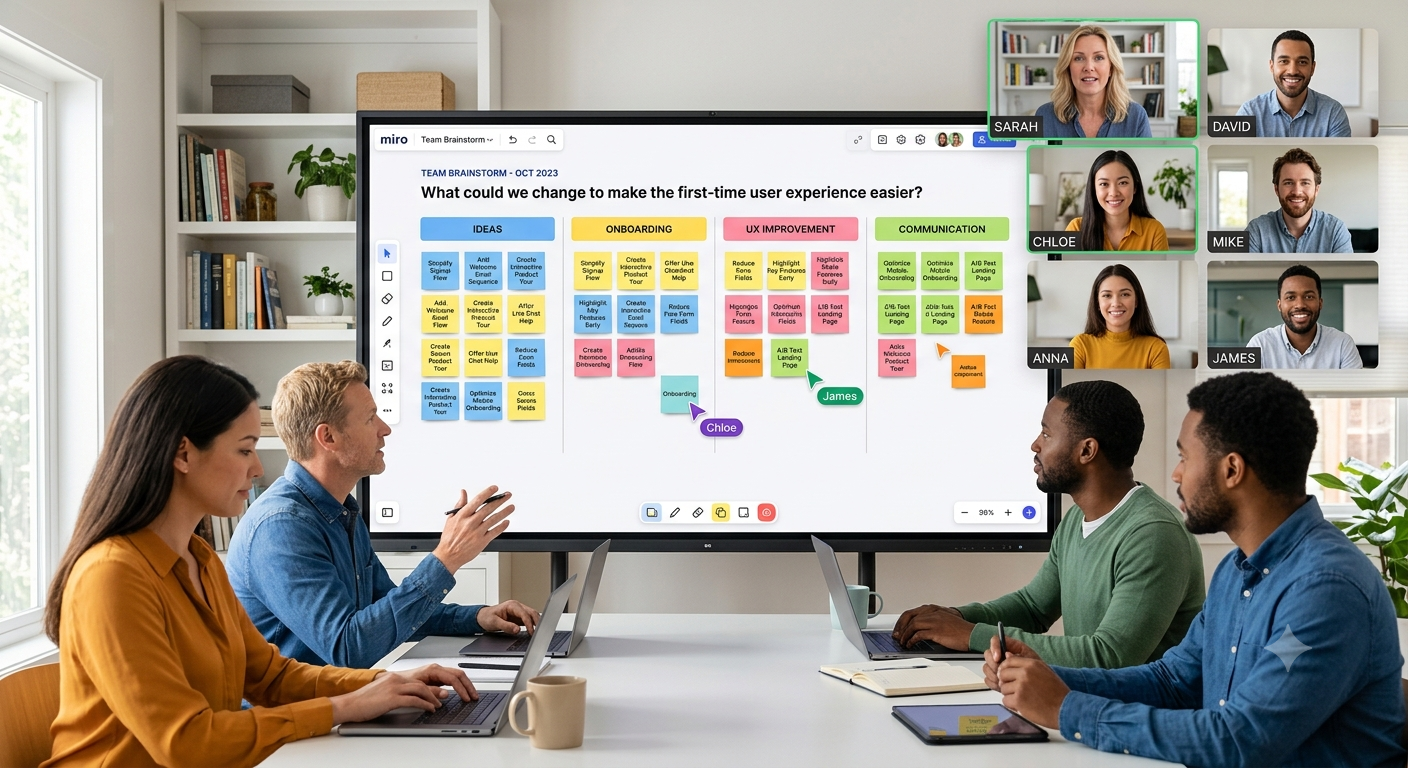
A good brainstorming session should leave your team with more ideas than they started with—and a clearer idea of what to do next. But that can be difficult when some people are in the office, others are working from home, and everyone is talking over one another on a video call.
That’s where virtual Post-it notes for teams can make a real difference. Instead of asking everyone to shout out ideas while one person takes notes, each team member gets a simple space to put their thoughts down, see what others are thinking, and help organize the discussion.
Here’s how to use virtual Post-it notes to make your next team brainstorm more focused, inclusive, and useful.
The biggest mistake with brainstorming is treating it like an ordinary meeting.
In a normal meeting, people often respond to what someone else has already said. The loudest voice can quickly shape the conversation, while quieter team members may never get the chance to share their ideas.
A better brainstorm separates idea generation from idea evaluation.
First, give people time to think and capture ideas. Then bring the ideas together, look for patterns, discuss them, and decide what deserves attention.
Virtual Post-it notes work well for this because every idea gets its own visible space. Instead of creating a long list in meeting notes, the team can build and organize the ideas together.
You don't need a complicated process. A simple structure can keep the session moving without making it feel overly formal.
Before opening your virtual board, decide what you actually want the team to solve.
Avoid questions that are too broad.
Instead of:
"How can we improve the product?"
Try:
"What could we change to make the first-time user experience easier?"
A specific question gives people a direction without telling them what the answer should be.
If the session has several goals, run them separately. Trying to solve five different problems in one brainstorm usually creates a messy board and an even messier discussion.
This is one of the easiest ways to improve a brainstorming session.
Rather than immediately asking, "Does anyone have any ideas?", give everyone a few minutes to write their thoughts on virtual Post-it notes.
For example:
This gives people who need a little more thinking time the same opportunity to contribute as those who are naturally quick to speak.
It also prevents the first idea mentioned in the meeting from becoming the idea everyone else simply builds around.
A common problem with brainstorming notes is putting too much information into one note.
Instead of:
"We could improve onboarding by redesigning the signup page, adding a welcome email, and creating a product tour."
Break it into three notes:
This makes the ideas much easier to move, compare, group, and prioritize later.
Short notes are also easier for the rest of the team to scan when the board starts filling up.
Once everyone has finished adding their virtual Post-it notes, take a moment to look at the whole board.
Don't immediately start debating which idea is best. First, look for connections.
You might notice that several notes are really talking about the same thing. Move those notes together and create simple groups around them.
For example, a product team might end up with groups such as:
This process, sometimes called affinity mapping, turns a collection of individual thoughts into something the whole team can understand.
It can also reveal patterns that aren't obvious when ideas are discussed one at a time.
After grouping the notes, it's time to narrow things down.
You don't need to find the perfect idea. The goal is to identify the ideas worth exploring further.
One simple approach is to ask everyone to choose their top three ideas.
You can then discuss:
The voting step helps move the conversation from "Here are all our ideas" to "Here are the ideas we should actually consider."
This is where many brainstorming sessions fall apart.
Everyone leaves the meeting feeling positive, but a week later, nobody remembers what happened.
Before ending the session, identify what happens next.
For example:
Idea: Simplify the new-user signup process
Next step: Product manager reviews the current flow
Owner: Sarah
Deadline: Friday
The brainstorm doesn't have to solve the entire problem. It just needs to create enough clarity for the next step.
If you're not sure how much time to give each stage, try this simple format:
| Time | Activity |
|---|---|
| 0–5 minutes | Explain the problem and goal |
| 5–10 minutes | Individual idea generation |
| 10–17 minutes | Share and clarify ideas |
| 17–22 minutes | Group similar ideas |
| 22–27 minutes | Prioritize the strongest ideas |
| 27–30 minutes | Agree on next steps |
Of course, you can make the session longer for a complex problem. The important part is giving each stage a purpose.
A timer can also help. Without one, brainstorming sessions have a habit of spending 20 minutes discussing the first three ideas and rushing through everything else.
The tool matters, but the person running the session matters just as much.
A good facilitator keeps the discussion moving without controlling the outcome.
Here are a few habits that help.
During the idea-generation stage, avoid comments like:
Those conversations have their place, but not while people are still generating ideas. Give the team room to think first. Evaluate the ideas afterward.
If two or three people are doing most of the talking, pause the conversation and give everyone a chance to contribute.
Virtual Post-it notes can help here because people can add ideas without having to interrupt anyone or wait for a turn to speak.
If an idea isn't clear, ask the person to explain it. Don't immediately ask them to prove why it will work.
There is a big difference between:
"Can you explain what you mean?"
and
"Why would that work?"
The first keeps the brainstorming conversation open. The second can make people hesitant to share the next idea.
As the number of notes grows, don't let the board become a wall of random thoughts.
Group related ideas, remove obvious duplicates when appropriate, and use simple labels or colors to make sections easier to understand.
The goal isn't to make the board look perfect. It's to make the team's thinking easier to follow.
Your team doesn't always need to brainstorm at the same time.
For distributed teams working across different schedules or time zones, an asynchronous brainstorm can be surprisingly effective.
Start by posting the question and giving everyone a deadline.
For example:
"What are three things we could do to reduce customer support questions during onboarding? Add your ideas to the board by Wednesday afternoon."
Team members can then contribute when they have time.
Once the deadline passes, the facilitator can group the ideas and bring the team together for a shorter discussion.
This approach is particularly useful when a live meeting would otherwise spend most of its time simply collecting ideas.
Even a simple brainstorming method can go wrong. Watch out for these common problems:
Starting without a clear problem.
If everyone is solving a different problem, the board will quickly become difficult to organize.
Letting discussion start too early.
Give people time to generate ideas before evaluating them.
Writing paragraphs on every note.
Keep notes short enough to scan quickly.
Trying to keep every idea forever.
Not every idea needs to move forward. The purpose of prioritization is to narrow the field.
Ending without an owner.
A good idea without a next step is still just an idea.
You don't need an overly complicated setup to start using virtual Post-it notes for teams.
With Snapynotes, teams can create digital sticky notes, organize ideas using colors and labels, and share their notes through a simple link. The notes can be accessed across desktop, mobile, and tablet devices, making them useful when team members aren't sitting in the same place.
For a small brainstorming session, the basic workflow can be as simple as:
Create → Share → Brainstorm → Organize → Prioritize → Act
If you're new to digital sticky notes, you can also read our guide on How Digital Sticky Notes Improve Office Productivity to see how teams can use them beyond brainstorming.
For more ideas, take a look at our guide to the best online sticky note applications and see where digital notes can fit into your team's workflow.
Virtual Post-it notes are digital versions of physical sticky notes that teams can use to capture, organize, and discuss ideas online. They are particularly useful for brainstorming when team members are working remotely or in different locations.
Start with a clear question, give each person time to add ideas, group similar notes, discuss the strongest themes, and prioritize what should happen next.
There isn't one perfect number, but smaller groups are often easier to facilitate. If you have a large team, consider splitting people into smaller groups and bringing the strongest ideas together afterward.
Yes. A facilitator can post a question, give everyone a deadline for adding ideas, and review or organize the notes before the team meets to discuss them.
Turn the strongest ideas into next steps. Assign an owner, decide what needs to happen first, and give the team a clear follow-up point.
A better brainstorm isn't necessarily a longer brainstorm.
The real difference comes from giving people enough space to think, making every idea visible, and having a simple process for turning a large collection of ideas into a few useful decisions.
That's why virtual Post-it notes for teams can be so useful. They give the team a shared place to think before the meeting turns into a discussion— and they make it easier to see the bigger picture once all those ideas are on the board.
Start with one problem, give everyone a few quiet minutes, organize the ideas, prioritize them, and finish with a clear next step.
Keep the process simple, and your next team brainstorm will already be better.