
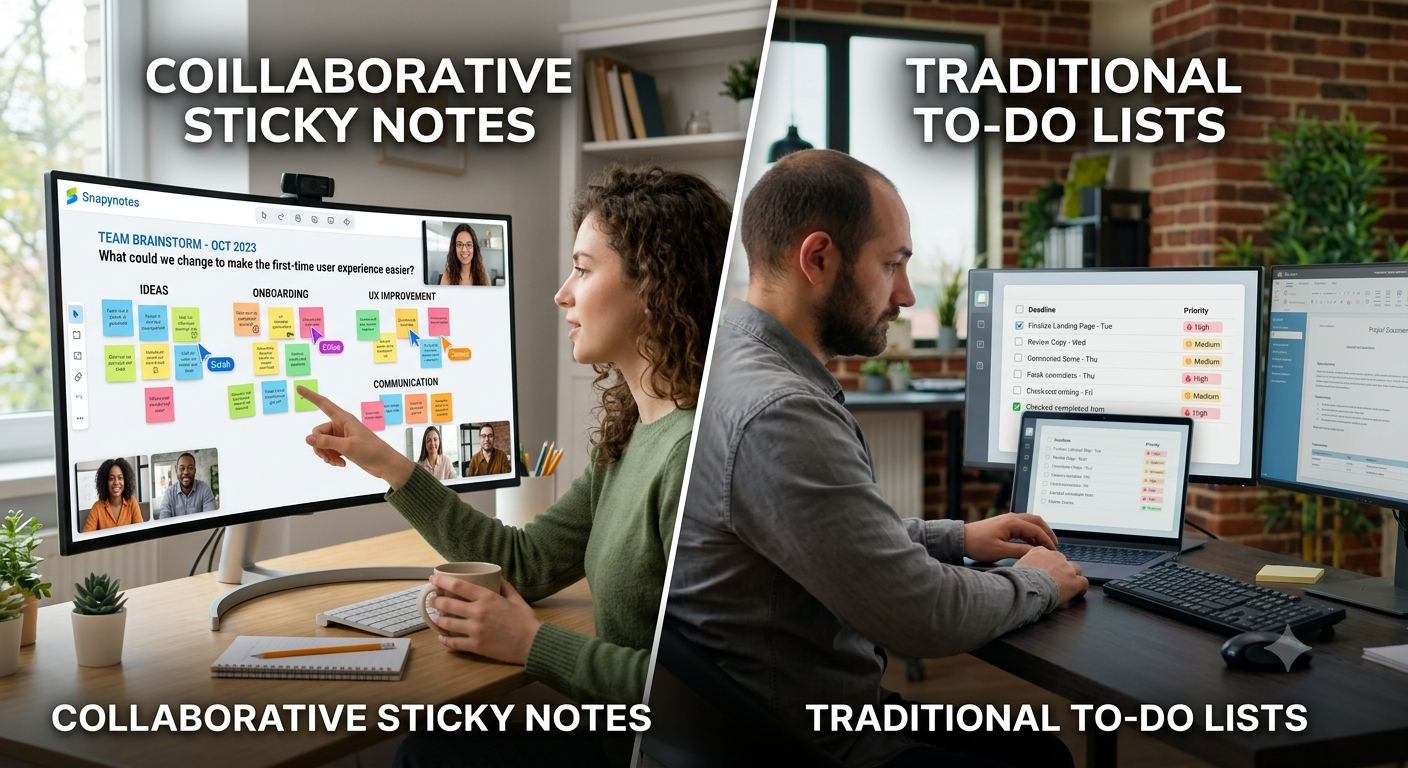
Every team needs a way to keep track of work. The problem is that not every kind of work fits neatly into a traditional to-do list. A to-do list is great when you already know what needs to be done. But what happens when your team is still figuring out the problem, collecting ideas, discussing priorities, or trying to make sense of a messy project? That's where collaborative sticky notes can be useful. Instead of forcing every thought into a task list, teams can use digital sticky notes to capture ideas, questions, tasks, and possibilities first—and organize them as the work becomes clearer. So, should your team use sticky notes or a traditional to-do list? The answer depends on what your team is trying to accomplish.
The simplest way to think about the difference is this:
To-do lists are built for structured work.
Collaborative sticky notes are built for flexible thinking and visual organization.
Imagine your team is planning a new product launch. A traditional to-do list might look like this:
That's useful once the plan is clear. But at the beginning of the project, your team might have questions like:
Those aren't necessarily tasks. They're ideas, questions, and possibilities. This is where a sticky note collaboration tool can be more natural. You can put each thought on its own note, move related ideas together, identify patterns, and gradually turn the useful ideas into actual tasks.
Collaborative sticky notes are particularly useful when the team is still thinking, exploring, or organizing.
Suppose your marketing team needs ideas for a new campaign. Instead of opening a task list and immediately assigning work, ask everyone to add ideas. You might end up with notes such as:
Now everyone can see the ideas together. The team can group similar suggestions, discuss them, and decide which ones are worth pursuing. A to-do list can record the final tasks, but it isn't always the best place to generate those ideas in the first place.
Early project planning is rarely neat. You may know the final goal but not yet know every step required to get there. Collaborative sticky notes let the team start with the big picture. For example: Project goal: Launch the new website. Then add notes for:
As the team discusses the project, those broad areas can be broken into smaller pieces. This makes the planning process feel less rigid. Once the project becomes clearer, the important tasks can move into whatever task-management system the team normally uses.
Some meetings are about creating something together rather than simply reviewing a list of tasks. A team retrospective is a good example. You might ask:
What went well?
What caused problems?
What should we change next time?
Everyone can add notes, and the group can then organize similar responses. The visual format makes it easier to see repeated themes. For these types of conversations, a traditional to-do list can feel restrictive because the team doesn't know the answers yet. The purpose of the session is to discover them.
This doesn't mean to-do lists are outdated. In fact, they're excellent once the work has been defined. If someone needs to:
a straightforward task list may be all you need. A to-do list answers a simple question:
"What needs to be done?"
It becomes especially useful when tasks have clear owners, deadlines, and priorities. For example:
| Task | Owner | Deadline |
|---|---|---|
| Finalize landing page | Alex | Tuesday |
| Review copy | Priya | Wednesday |
| Test mobile layout | Sam | Thursday |
That's structured work. You don't need a wall of sticky notes just to remember that something needs to be finished on Thursday.
| <br> | Collaborative Sticky Notes | Traditional To-Do Lists |
|---|---|---|
| Best for | Ideas, brainstorming, planning | Defined tasks |
| Structure | Flexible | Structured |
| Visual organization | Strong | Usually limited |
| Brainstorming | Excellent | Less natural |
| Task tracking | Basic to moderate | Excellent |
| Group discussions | Excellent | Limited |
| Exploring possibilities | Excellent | Less suitable |
| Clear deadlines | Possible, but not the main focus | Usually a core feature |
| Turning ideas into tasks | Useful starting point | Already task-focused |
The important thing is that these aren't necessarily competing approaches. They can work together.
For many teams, the most practical workflow is not sticky notes vs. to-do lists. It's:
Sticky notes → organize → prioritize → tasks
Here's what that can look like.
During a planning session, everyone adds ideas, questions, concerns, and possible tasks. Don't worry about making decisions yet.
Move similar ideas together. For example:
Customer Feedback
Website
Suddenly, the messy collection of ideas starts to make sense.
Now ask:
This is where the team moves from exploration to decision-making.
Once the team knows what needs to happen, create clear tasks. For example: Sticky note: Improve mobile onboarding becomes: Task: Review mobile onboarding flow Owner: Product team Next step: Identify the three biggest usability problems Now the idea has become actionable work.
Don't immediately throw away every note once a task is created. Some notes can remain as context around the project. This can help the team remember why a task exists rather than seeing only a line on a task list.
Let's say four people are planning a campaign. At the beginning, the board might look chaotic. Someone adds:
Customer testimonial videos
Another person adds:
Free guide
Someone else writes:
LinkedIn campaign
Another adds:
Customers don't understand Feature X
At this stage, turning everything into assigned tasks would be premature. Instead, the team groups the notes.
Content ideas
Customer problems
Promotion
The team then realizes something important: they don't just need more promotional content. They need to explain Feature X more clearly. That insight might never have appeared in a simple list of tasks. Once the direction is clear, the team can create actual tasks:
The sticky notes helped the team think. The to-do list helps the team execute. That's the real difference.
Ask your team one question:
"Are we figuring out what to do, or do we already know what to do?"
If you're still figuring it out, collaborative sticky notes may be the better starting point. Use them when you need to:
If the work is already defined, a to-do list may be more appropriate. Use it when you need to:
And if your team regularly does both, there's no reason to choose only one.
Snapynotes can be useful at the earlier, more flexible stage of team work. Teams can create digital sticky notes, organize them with colors and labels, and share them through a simple link. Because the notes can be accessed across desktop, mobile, and tablet devices, they can be useful when team members are working from different locations. For example, your team could create a shared Snapynotes board for:
Then, once the team has agreed on what actually needs to be done, those decisions can be turned into your normal task list. If you're interested in other ways digital notes can support work, see our guide on How Digital Sticky Notes Improve Office Productivity. You can also explore the best online sticky note applications to understand the different ways teams use digital sticky notes.
Not necessarily. They solve different problems. Collaborative sticky notes are useful for brainstorming, planning, and organizing ideas, while to-do lists are better suited to clearly defined tasks and follow-up.
For simple projects, they may be enough for basic organization. For complex projects with many owners, deadlines, dependencies, and detailed tracking requirements, a dedicated task-management system may be more appropriate.
A sticky note collaboration tool is a digital workspace where people can create, organize, and share sticky notes together. Teams can use it for brainstorming, planning, feedback, and visual organization.
Yes. In many cases, that's the most practical approach. Use sticky notes to explore and organize ideas, then turn the decisions into specific tasks.
Yes. Shared digital sticky notes can give remote teams a common visual space for ideas, questions, planning, and priorities without requiring everyone to work from the same physical location.
A to-do list is great when you know exactly what needs to happen. But not every piece of work starts that way. Sometimes a project begins with a question, a half-formed idea, a customer complaint, or ten different opinions around a meeting table. That's where collaborative sticky notes can shine. They give teams room to think before they start assigning tasks. The most useful approach isn't necessarily choosing sticky notes over to-do lists. It's knowing when to use each one.
Think with sticky notes. Organize with sticky notes. Then execute with tasks.
That simple transition can help your team move from a messy collection of ideas to a plan everyone understands.